> For the complete documentation index, see [llms.txt](https://help.mywayroute.com/llms.txt). Markdown versions of documentation pages are available by appending `.md` to page URLs; this page is available as [Markdown](https://help.mywayroute.com/v3/guides/export-your-route-and-share-it-with-others.md).
# Export your route and share it with others
This page will explain how you can export, and share your route with others
{% hint style="info" %}
**Using MyWay on Android?** This page describes the iOS app version 3. See [Version 2 of this page](https://help.mywayroute.com/guides/export-your-route-and-share-it-with-others).
{% endhint %}
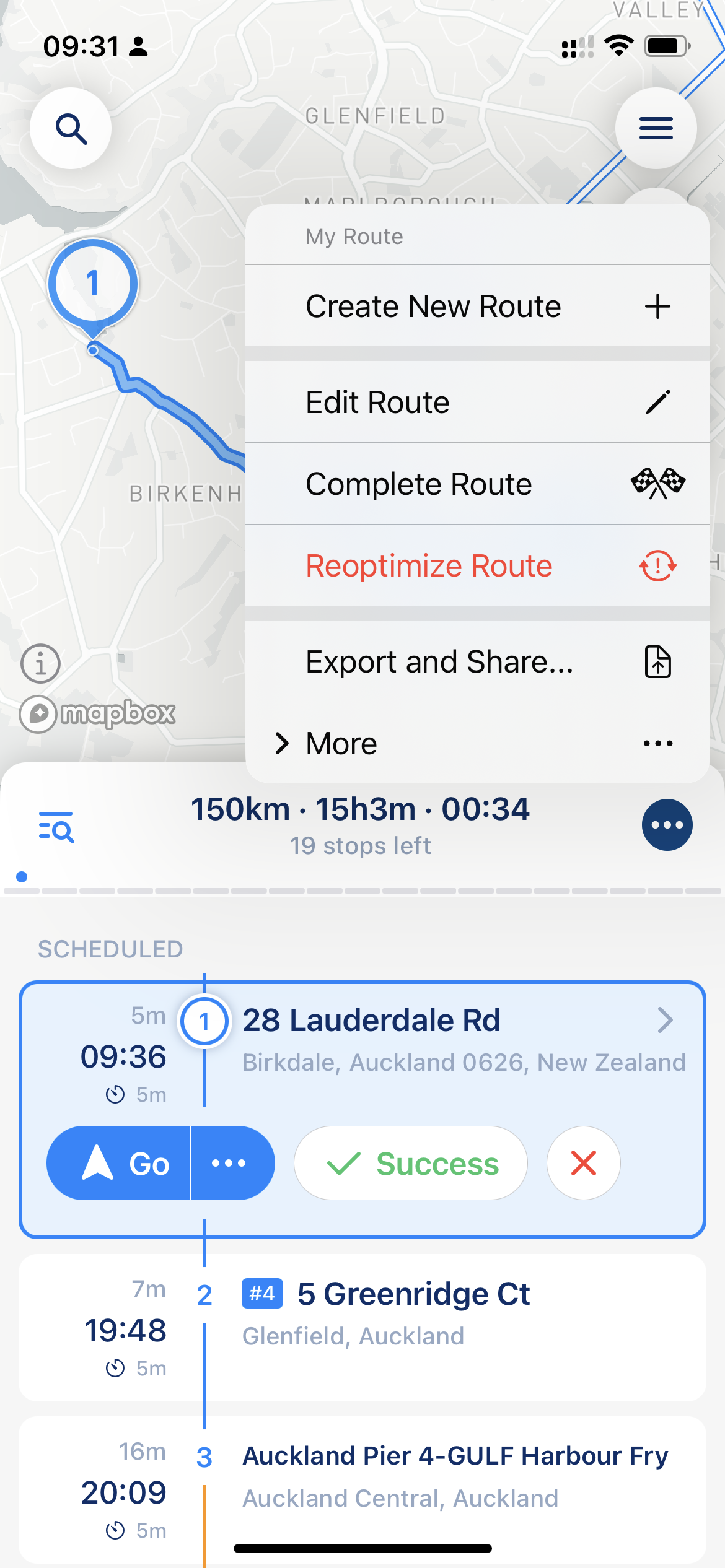
You can export your route from MyWay Route Planner at any moment. Tap the "…" button in the route header and choose "Export & Share". For a route in the Routes list, tap "…" next to the route and choose "Report".
Export & Share
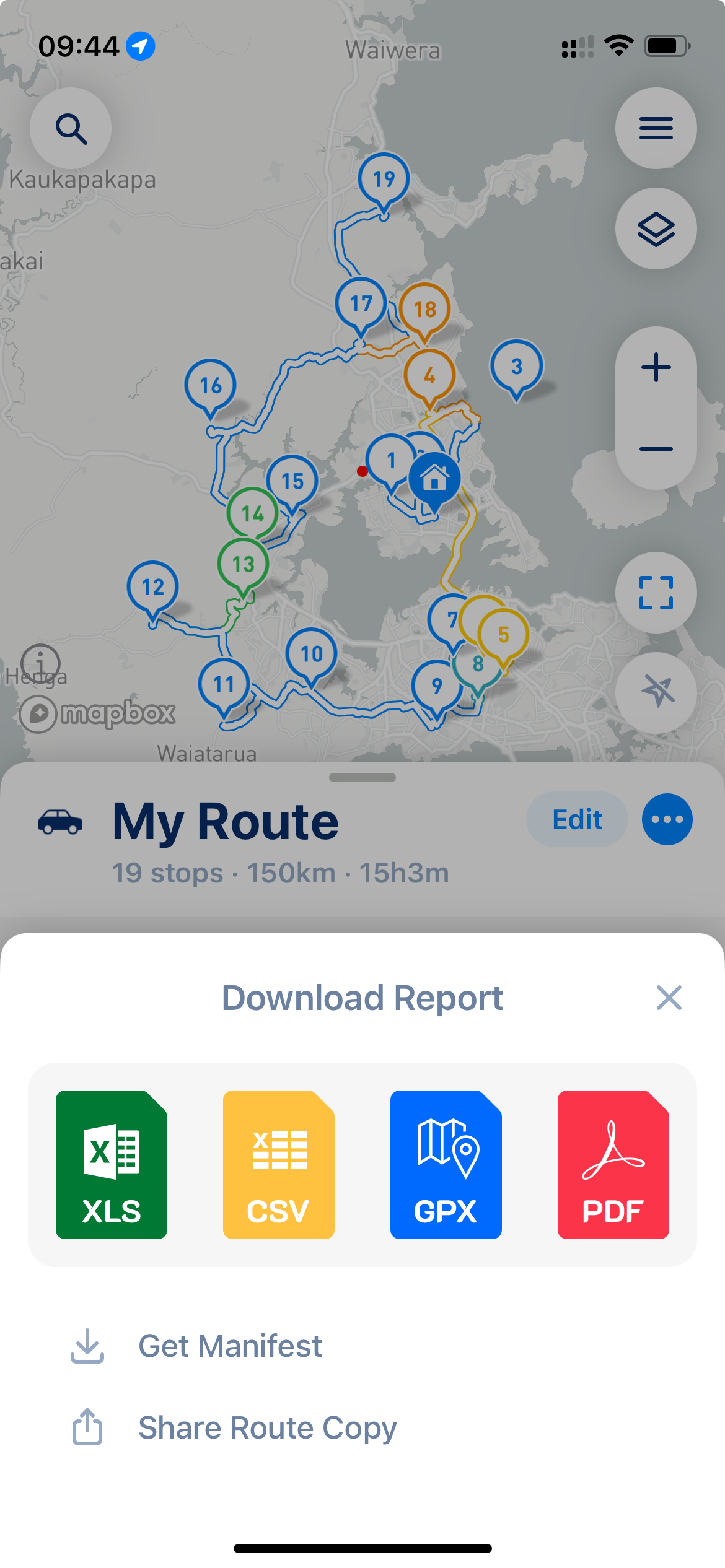
"Download Report" has two different "branches" that determine what you get as a result of sharing:
1. [Reports](#files-export) (XLS, CSV, PDF) give you a report on your route. The amount of data depends on the route status and the data added to stops (completion status, proof photos, etc.)
2. [Manifest](#get-manifest) and [Route Copy](#share-route-copy). The manifest is a list of stops without statuses and proofs. "Share Route Copy" creates a link to a copy of your route with no status data (like delivery status and proof), so you can share it with others.
{% hint style="info" %}
If you need a route report, PDF works best. If you need to send your route to someone else, it's better to use the "[Share Route Copy](#share-route-copy)" option instead of files.
{% endhint %}
## Files Export (Reports Export)
Tap XLS, CSV or PDF if you need to export your route to a file. That option is useful if you need to pass information about your route to someone, save it for later, or provide a report (PDF). The PDF report also includes the proof of delivery photos. MyWay prepares the file and opens it, so you can save it to Files or share it.
Download Report
{% hint style="warning" %}
An exported XLS or CSV report is not a full copy of your route. If you import it back into MyWay, some stop settings (like time windows, shipment type, color, premises and email) are lost. To move a route to another device or person, use "Share Route Copy".
{% endhint %}
## Get Manifest
"Get Manifest" creates a print-friendly PDF with the list of stops: tracking IDs, shipment type, time windows, package count, contact and notes, without statuses and proof. It's handy if you need to print your route on paper and have that paper as a reference, or to pass the list of stops to someone without the app.
## Share Route Copy
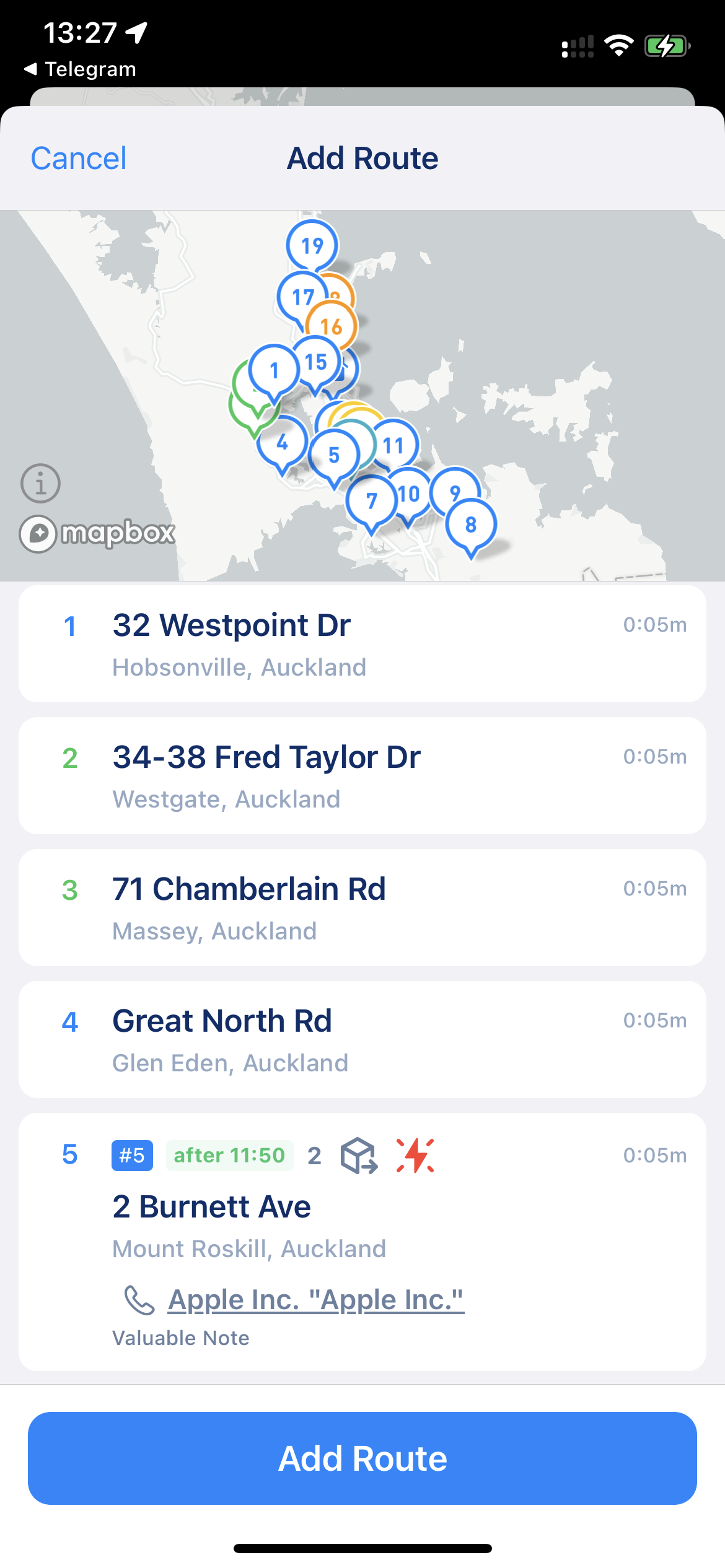
If you want to share your route with someone else (like your driver, colleagues, etc.) we recommend the "Share Route Copy" option. That option creates a route link that you can pass to anyone via messenger, email, SMS, etc. When a person opens that link on their iPhone with MyWay installed, MyWay asks "Import Route" ("Someone shared a route with you. Do you want to add it to your routes?"). The copy becomes their active route, with the stops and their settings, but without statuses and proof. If the app is not installed, the link opens a web page where they can download MyWay.
Share Route Copy
Import Route
When you share the route by link, the route link will be active for 30 days only. After that, we will delete that route data from our server, so please make sure the route is received and processed by the person you share it with. We delete routes as per our privacy policy and to make sure all data belongs to you and no one else.
{% hint style="info" %}
Links to routes shared from the previous version of MyWay still open in the new app, but without proof of delivery.
{% endhint %}
{% hint style="warning" %}
Please keep in mind that by sharing routes with others, you might unintentionally share some sensitive data. Anyone who has the link can open the route.
Please make sure that the file you share does not have sensitive data, and clear the data if necessary. Different export options provide different data. You can always find the format you need, or simply clean some fields you don't need (for example, in the .XLS file).
{% endhint %}